Elias, Branding Studio, webflow partner

Top 100 digital design and graphics resources & tools in 2025

Your brand, our focus
Branding
resources
/
Branding
/
Top 100 digital design and graphics resources & tools in 2025
July 2023
19
Min

Creating a brand's visual identity is not an easy task. Beyond skills, you'll need to use the right tools and leverage the best resources. The list of tools below can help you build your brand guidelines from A to Z.

This list is the result of several years of graphic design experience. It is not exhaustive; many other tools exist. Those listed here are the ones we deemed most relevant.

Branding = brand image? Our definition

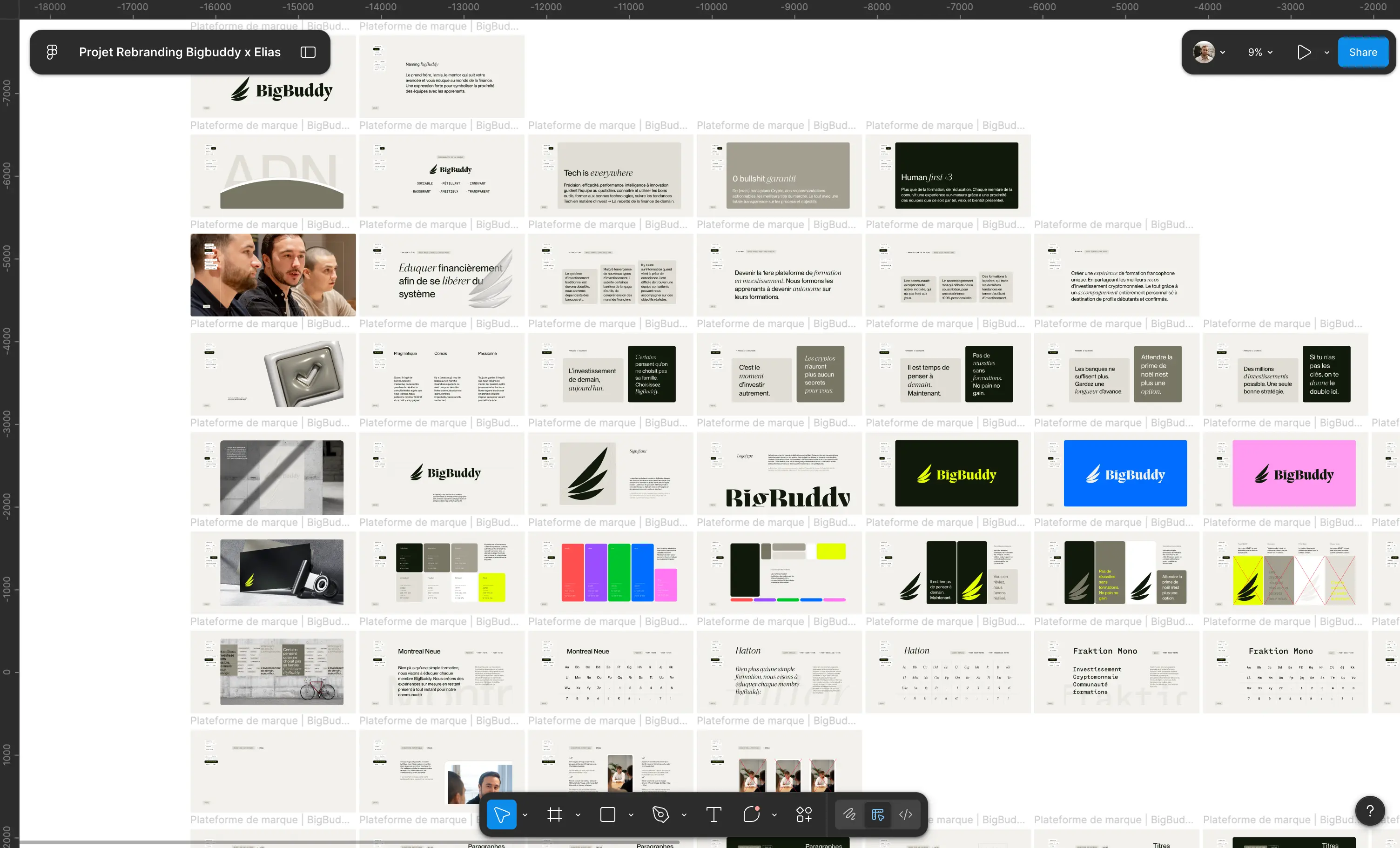
Brand image is how your users perceive you. What emotion will your brand evoke in your customers? What values can we associate with it? Branding raises many questions. All answers must be gathered within the company's brand platform. This multi-page document should contain the brand's 'why', its promise and value proposition, its offerings, its brand personality, and several other elements.

The brand platform also integrates an essential element of your branding: the visual identity.

Your logo, its variations, accompanied by your colors, typographies, and integration examples. All visual elements associated with your brand guidelines that are intended to guide future collaborators or service providers in using your brand.

What Strategy to Build Your Visual Identity

The process for building a visual identity is simple. First, ensure you clearly define all information regarding your brand platform: your values, your DNA, your competitive advantage, etc. Once you have a sufficiently comprehensive brief and all information related to your brand personality, focus on the visual identity. It can be helpful to create a mood board, drawing inspiration from existing brands. Then define your colors, your typographies... Create your own logo.

Once you have these basic elements, all that remains is to finalize your brand guidelines by adding variations and integration examples (for example, website mock-up, LinkedIn banner, PowerPoint template, iconography, etc.).

Our Selection of Top Resources

Logo for Your Brand

A logo is one of the most important elements of a brand or business. It's the image that allows people to immediately recognize your company and remember you. A logo can also help convey your company's image and values, and can play a significant role in creating a strong visual identity for your brand. Furthermore, a well-designed logo can help build customer trust in your company and differentiate it from your competitors. In summary, a logo is crucial for creating a strong and lasting brand.

Tailorbrand

This tool allows you to quickly create your own logo. It's an interesting solution if you're short on time, skills, or budget.

logo-archive.org

One of the most well-known platforms for curating historical logos. They bring together different shapes and messages – everything you need to create your logo from A to Z.

logobook

Here's a great tool that allows you to find different logos based on the letter of your choice. Very interesting if your logo needs to represent a letter.

Instagram

This social network is a fantastic tool when you're looking for inspiration to create a logo that reflects your image, while also respecting design trends.

Gradients and Color Palettes

Colors can play an important role in how people perceive your brand. Each color has different connotations and can evoke distinct emotions and associations. For example, red can be associated with excitement and urgency, while blue can be perceived as calm and reliable. It is therefore important to choose your brand colors based on the image you want to convey and the emotions you want to evoke in your target audience. By choosing the right colors for your brand, you can help strengthen your company's visual identity and make it stand out from your competitors.

colorable.jxnblk

This is a site developed by a young designer. It allows you to adjust your color scheme or even find one randomly.

pigment.shapefactory

Excellent website that provides a 6-color palette. Plus, it includes variations for each color. Overall, a very comprehensive tool.

palettte.app

Offers technical control over your color palette. This tool is highly regarded by colorimetry experts.

Khroma

Khroma is a brand new artificial intelligence that helps you select the colors that best suit you based on a simple preference questionnaire.

designgradients

An endless source of linear gradients.

Coolors

Here's a basic tool offering various color palettes. It also draws inspiration from current trends. Simply choose.

Colorhunt

Here's a second tool that offers various color palettes.

Typography

There are many websites offering free fonts that you can use to create your brand guidelines. Simply browse these sites to find fonts that suit your brand guidelines. Don't forget to check the terms of use for each font to ensure you can use it in your project.

pangrampangram foundry

This is an excellent modern font selection platform. We recommend their font pack.

typeverything

This foundry offers various typefaces, often in modern, original styles.

fontshare

Here's a platform offering various fonts, from the most original to the most classic, including some very popular ones.

Google fonts

It's the go-to resource for fonts. You'll find many entirely free font families.

Fontfabric

Here's a site that offers a selection of typography with a startup vibe.

Dafont

If you're looking for a specific font style, Dafont is the place to go.

Youworkforthem

This marketplace brings together various well-known typefaces.

The best image banks

Images are the foundation of a brand identity. Unfortunately, not all companies have the luxury of affording a custom photo shoot. They can sometimes be used within illustrations, or to highlight a more human image (by featuring profile pictures), or a more tech-oriented image (with photographs of laboratories, researchers, etc.). This is partly what contributes to the success of Apple's web designs. Beyond showcasing the iPhone's camera capabilities, the images featured on the website make the entire design (and thus the product) much more appealing. As the saying goes: a picture is worth a thousand words.

Unsplash

The #1 free and royalty-free image bank. The images offered by this platform are of truly exceptional quality.

Burst.shopify

Here's another image bank offering very high-quality images.

Freepik

Provides access to various types of images: photographs, illustrations, vectors.

Polarr

Polarr is an excellent photo editing tool for beginners. If you're not a professional photographer, this tool will be more than sufficient.

Lightroom

Lightroom is excellent photo editing software. Note that this is a professional tool.

Shutterstock

A very well-known image bank that offers a freemium plan.

Getty Image

One of the most well-known image banks, it also includes some icons and illustrations. Note that access to these images is not free.

Remove.bg

For one reason or another, you might need to cut out subjects from your photos. This will only take a few seconds with this tool.

Design inspiration

It's important to find the right inspiration when creating a design for several reasons. First, it allows you to have a clear vision of what you want to create and ensures that your design aligns with your project's objectives. Furthermore, inspiration can help you discover new ideas and push you out of your comfort zone, enabling you to create an original and creative design.

Inspiration can help you stay up-to-date with current trends. In summary, finding the right inspiration is crucial for creating a successful design.

Behance

One of the best sources of inspiration for all your designs. You'll be spoiled for choice.

Dribbble

Dribbble is a community of designers. Every day, they share new boards that anyone can comment on and like.

Pinterest

Initially a photo social network, Pinterest has become a benchmark for inspiration and sharing mood boards.

Callmelord

This is the best branding agency in France. They have redesigned some of the most beautiful French startups. Their portfolio is a real goldmine.

Motion Design

Motion design can help make designs cooler by adding movement and animation to graphic elements. Using these techniques can bring a static design to life, making it more attractive and engaging for users. Motion design can also help communicate ideas and information more clearly and concisely by using animated visual elements. Finally, motion design can highlight key design elements and draw attention to the most important parts of a presentation or online content.

Lottie Flow

The go-to site for animated illustrations that can be exported in Lottie format.

Icon Lottie Finsweet

These are animated icons that you can customize and use in your web projects.

Adobe After Effects

This is the ultimate software for creating special effects and motion design. It can be connected to other tools and software. Adobe After Effects is professional-grade software, and it's not easy to learn.

Jitter

This is a brand new tool for creating simple motion designs, aimed at beginners.

Develop your brand guidelines

Web design

A website design must be captivating, easy to navigate, and tailored to user needs. A good website design must also be responsive, meaning it should adapt to different screen sizes to provide an optimal user experience on desktops, tablets, and mobile phones. Furthermore, a good website design should be easy to update and maintain. Beyond that, it's not easy to create a unique design that reflects your company's image. These resources can help you design the website of your dreams.

maxibestof.one

This is a gem among web design inspiration platforms.

awwwards

For several years, they have been awarding prizes for the most beautiful sites published daily.

landingfolio

A very good source of inspiration if you want to create an original landing page.

lapa.ninja

It is a well-known website in the web industry; they share web designs from various sectors and domains.

Made in Webflow

This module, developed by the Webflow website design tool, shares all sites created on the platform.

Framer

Framer is a website design software that is becoming increasingly well-known. Like Webflow, it is highly focused on branding and custom solutions.

Webflow

Webflow is one of the most powerful custom website creation tools on the market. It competes with giants like Wordpress or Wix. Even though getting started with it requires HTML and CSS knowledge, the results it delivers are breathtaking.

Figma

the #1 interface design software on the market. Its features are truly advanced, and its direct browser implementation allows anyone to quickly share their design.

Adobe XD

Figma's perennial competitor, Adobe XD is sometimes considered easier to use. It still allows for professional results.

Sketch

Sketch is also a well-known software for web design and graphics. However, it remains less popular and less used than its competitors Figma and Adobe XD.

Email Marketing

Launching an email marketing campaign can be useful for several reasons. First, it allows you to reach a large number of people in a short amount of time. Furthermore, it's an effective way to target specific audiences, thanks to the ability to segment your recipient list based on various criteria, such as their location, age, or interests. Additionally, it can be an excellent way to build customer loyalty by offering exclusive deals or providing company updates. Finally, it's an easy and inexpensive way to measure your campaign's effectiveness, using click-through and open rate tracking tools. In summary, an email marketing campaign can be an effective strategy to achieve your marketing goals and grow your business.

Stripo

This is a gem that allows you to create fully custom emails. It's even possible to dive into the code.

Lemlist

A very well-known tool in France that allows not only the creation of personalized emails but also the sending of cold email campaigns.

Signature by Hubspot

Hubspot offers a module for creating custom-designed email signatures.

Mailchimp

Like Lemlist, Mailchimp is a tool for personalizing emails and sending them to your email list. It's best to use Mailchimp for newsletter campaigns.

Really Good Emails

The best email design templates for perfect inspiration.

Mockup

Mockups are essential tools that will save you a lot of time on all your presentations. They involve integrating your designs and interfaces into existing elements like a computer, phone, bag, or sign. Whether it's a website wireframe, your new mobile application, or your brand-new logo, mockups can certainly enhance your design by providing an ultra-realistic context. It's simpler to add your logo to a t-shirt mockup than to buy the t-shirt, print your logo on it, and then photograph the t-shirt. Take a look at these resources if you want an overview of all the elements you can use with mockups.

pangrampangram

offers some street-inspired mockups (if you're looking for modern and original displays).

mr Mockup

This is one of the most comprehensive mockup libraries available. Most are stylized and organized into mockup families.

Omi.so

This tool allows for 3D display of your products as mockups. Your product is directly modeled by their 3D teams.

ls.graphics

They offer a large bank of mockups primarily for devices like computers (desktops and laptops), phones, and tablets. Some are even animated!

Mockup World

Here's a simple and comprehensive library for any aspiring young designer who wants to try their hand at the art of mockups.

Creative Market

This is a large marketplace for design tools and resources. They have a very comprehensive "mockup" section that will allow you to find almost any scenario.

Presentations & Slides

It's important to choose a template that suits your topic and audience well. A professional template can add credibility to your presentation and make it more visually appealing, but an overly busy or inappropriate template can detract from the clarity of your message. Furthermore, it's important not to rely too heavily on the template to do all the work for you. You still need to establish the key elements of your presentation and present them clearly and concisely. Finally, it's always beneficial to customize the template by adding your own images, colors, and fonts to reflect your personal style. In general, using a template can be a good idea if you use it wisely and customize it accordingly.

slidescarnival

One of the best presentation template sites for PowerPoint, Canva, and Google Slides.

Gamma.app

An excellent software for creating presentations with a "wow" factor.

Google slides

This is an extremely well-known tool that allows you to create and share your presentations.

Pitch

Pitch is a brand new design software that allows you to create original presentations.

Slidesmania

They offer clean and minimalist PowerPoint templates.

template.net

It's the perfect partner for creating professional presentations.

Illustrations

To add illustrations to your brand guidelines, you can first define the rules and guidelines for the illustrations, such as the colors to use, styles, fonts, and patterns. You can then search for illustrations online or use drawing software like Adobe Illustrator or Inkscape. You can also hire a professional illustrator to create custom illustrations for your brand guidelines. Once you have found or created the illustrations you want to use, you can integrate them into your brand guidelines by using them as visual elements for your designs, incorporating them into your logos, or using them as backgrounds for your designs. It's important to ensure that the illustrations are in harmony with the rest of your brand guidelines and to use them consistently across all your designs.

Adobe Illustrator

An excellent design tool for creating logos and illustrations. It allows for extremely precise work. Be aware, however, that you'll need patience, as it's a very complex software to use.

ls.graphics/illustrations

They offer a large library of 3D illustrations.

getillustrations

One of the best illustration libraries available. The packages this site offers are modern, original, and align with 2022 graphic design trends.

Drawkit

They offer several illustration packs, some of which are 3D.

Blush.design

They share many illustrations, often featuring characters, with very vibrant colors.

icon8

They offer many vector illustrations. Some are animated, and many of them have a 3D style.

opensea.io

This library offers many illustrations in various styles.

Storytale.io

This platform shares particularly well-drawn illustrations, in a very modern, startup-friendly style.

Undraw

It is a source of royalty-free illustrations drawn by Katerina Limpitsouni. Be aware that they are often found in many existing designs.

Humaaans

Is a completely free library of illustrations featuring abstract human figures.

Manypixels.co

They offer classic illustrations, often with a very tech 'startup' aesthetic.

abstrakt.design

This platform offers a range of illustrations in a 'hand-drawn' style with subtle yellow accents.

openpeeps.com

They offer black and white character illustrations. This library has a 'hand-drawn' style.

iradesign.io

They offer several illustration sets in a 3D / slanted style. Perfect if you want to add depth to your designs.

Icons and pictograms

You can find icons and pictograms on various websites. These sites allow you to search for icons and pictograms by keyword and download them in various formats, such as PNG, SVG, and EPS. Most of these sites also allow you to change the color of the icons and pictograms before downloading them. You can also use graphic design software like Adobe Illustrator or Inkscape to modify the color of the icons and pictograms once they have been downloaded to your computer.

Lucide

Is a tool offering over 869 customizable pictograms, primarily for web use.

Icones.js

This library offers several pictogram collections.

Basicons.xyz

A well-known library featuring over 326 simple pictograms in a rounded style.

Community Figma

With a simple search, you'll find many customizable icons (sometimes even 3D).

Feathericons

This is a good compromise between an icon and a pictogram. They have a simple shape.

Flaticon

One of the largest icon libraries. They offer free and paid plans on a subscription basis.

The nounproject.

This library also offers many icons, sometimes more original than those on Flaticon.

fonts.google.com/icon

And yes! Google also offers its own pictogram bank. You can easily customize them, and honestly, it's worth checking out!

heroicons

This pictogram library can be used for all your web projects. Note that they offer a Figma file download.

Iconmonstr

Another well-known library offering many free icons for all your projects.

Backgrounds

The advantage of designing with a background is that it can add depth and dimension to your design. The background can be used to create context for the main elements of your design and to highlight them. It can also be used to add color, texture, and visual interest to your design, which can make it more attractive and engaging for users.

Paaatterns

Here are some excellent resources created by ls.graphics. You'll find modern backgrounds there, ranging from colorful to more subdued, often featuring patterns.

Free unicorn gradient

Here are some abstract gradients with playful colors that can bring a touch of joy and fun to your visual identity.

Toptal subtle patterns

Here's a library of pattern backgrounds to use freely.

The Pattern Librairy

Finally, another library of original patterns that can complement your brand guidelines.

Pixeden graphic Background

You'll find free and paid backgrounds there, as well as textured backgrounds to make your users' experience more immersive.

Video Library

It is generally recommended to add videos to your website and social media, as they can help improve user experience and increase engagement. Videos can be used to showcase products or services, tell stories, present customer testimonials, or simply entertain users. Furthermore, videos can be easily shared on social media, helping to increase your company's reach and visibility. However, it's important not to add too many videos to your website or social media, as this can become overwhelming for users.

Pexels

This is the most well-known free video library. The videos are often short and of excellent quality.

Youtube

Feel free to find your inspiration and raw footage on the world's most famous video sharing platform (soon to be surpassed by TikTok).

Imovie

A very well-known video editing software for beginners. It's only available on Mac.

Final cut pro X

This is professional software that allows for advanced video editing. It handles elements like photo retouching and plugin import.

Adobe Premiere Pro

This is Final Cut Pro X's main competitor. The quintessential video editing software, it is used by many industry professionals.

Playplay

Is an increasingly well-known startup helping companies create video content for social media.

Adobe Stock

The very famous Adobe Suite image bank recently decided to share some royalty-free images completely free of charge.

Design software

PowerPoint

The quintessential tool for all marketing managers who need to present their business plan. While that's what comes to mind when we talk about PowerPoint, it's good to know that you can go much further with this tool by creating designs of varying precision and different formats.

Canva

One of the favorite software tools for corporate community managers. It's an advanced version of PowerPoint that adapts to any type of design. Aimed at beginners.

Photoshop

One of the most well-known graphic design tools in the world. You can do almost anything with this professional tool, from graphic design to photo retouching.

Create a real "wow" effect

Above all, think about drawing inspiration from good brands, from strong visual identities. Look at our comprehensive analysis of Apple's web design and take a look at the best rebrands of 2021. Finally, don't miss the 6 branding trends for 2022.

Bonus: Special Rebranding White Paper

This document will be of great help if you are considering a rebrand without using an expert agency in the field.

There isn't a specific time to rebrand. It depends on several factors, such as changes within your company, market trends, your audience's needs, and other similar factors. For example, you might want to rebrand if you've launched new products or services, expanded your product range, changed your business strategy, or found that your brand no longer aligns with your audience's expectations. In general, it's important to keep a brand up-to-date and aligned with the needs of your business and target audience, and rebranding can be an option to achieve this.

Our ultimate rebranding guide perfectly complements this article by detailing each step of the rebranding process, right up to creating your own showcase website. It brings together all the expertise of our Studio. Feel free to give us feedback by contacting us directly via the website.

Happy reading.

Elias, Branding Studio, webflow partner

Brand Strategy
Brand Identity
Brand Experience
Naming
Copywriting
Brand Idea
Logo
Photography
Illustration
3D & Motion
SEO
Website
Webflow
Custom Animation
Maintenance
Webdesgin

We are brand creators. We transform projects into a strong, online brand.

It's time to turn your project into a brand

Brand Strategy
Brand Identity
Brand Experience
Brand Strategy
Brand Identity
Brand Experience

Top 100 digital design and graphics resources & tools in 2025

Ressources
/
Branding
/
Top 100 digital design and graphics resources & tools in 2025
Updated on
17/5/2026
Auteur
Axel
Expert Brand & Web @ Elias
0
1
2
3
4
5
6
7
8
9
0
1
2
3
4
5
6
7
8
9
%

The main thing to remember

The Top 100 Digital Design Resources and Tools in 2025 highlights the essentials for the modern designer: a combination of creative, technical, and organizational tools that enable faster, better, and more impactful production.

  • This selection covers the entire ecosystem: inspiration, UI/UX, branding, no-code, motion design, productivity, typography, colors, images, organization.
  • It reminds us that no single tool is sufficient on its own: it's the synergy that creates a fluid and coherent production chain.
  • The selection highlights some must-haves: Figma / Webflow / Notion / Illustrator / Canva / Framer / After Effects / Miro / Spline / Procreate.
  • For designers, agencies, and freelancers, mastering these resources becomes a clear competitive advantage: saving time, precision, quality, and better deliverables.
  • Staying informed remains essential: these tools evolve quickly, and regularly adapting one's practices is vital to remain relevant.

This Top 100 is a solid foundation for structuring your toolkit, but it's your ability to choose, combine, and intelligently use these resources that will truly make a difference in your projects.

Creating a brand's visual identity is not an easy task. Beyond skills, you'll need to use the right tools and leverage the best resources. The list of tools below can help you build your brand guidelines from A to Z.

This list is the result of several years of graphic design experience. It is not exhaustive; many other tools exist. Those listed here are the ones we deemed most relevant.

Branding = brand image? Our definition

Brand image is how your users perceive you. What emotion will your brand evoke in your customers? What values can we associate with it? Branding raises many questions. All answers must be gathered within the company's brand platform. This multi-page document should contain the brand's 'why', its promise and value proposition, its offerings, its brand personality, and several other elements.

The brand platform also integrates an essential element of your branding: the visual identity.

Your logo, its variations, accompanied by your colors, typographies, and integration examples. All visual elements associated with your brand guidelines that are intended to guide future collaborators or service providers in using your brand.

What Strategy to Build Your Visual Identity

The process for building a visual identity is simple. First, ensure you clearly define all information regarding your brand platform: your values, your DNA, your competitive advantage, etc. Once you have a sufficiently comprehensive brief and all information related to your brand personality, focus on the visual identity. It can be helpful to create a mood board, drawing inspiration from existing brands. Then define your colors, your typographies... Create your own logo.

Once you have these basic elements, all that remains is to finalize your brand guidelines by adding variations and integration examples (for example, website mock-up, LinkedIn banner, PowerPoint template, iconography, etc.).

Our Selection of Top Resources

Logo for Your Brand

A logo is one of the most important elements of a brand or business. It's the image that allows people to immediately recognize your company and remember you. A logo can also help convey your company's image and values, and can play a significant role in creating a strong visual identity for your brand. Furthermore, a well-designed logo can help build customer trust in your company and differentiate it from your competitors. In summary, a logo is crucial for creating a strong and lasting brand.

Tailorbrand

This tool allows you to quickly create your own logo. It's an interesting solution if you're short on time, skills, or budget.

logo-archive.org

One of the most well-known platforms for curating historical logos. They bring together different shapes and messages – everything you need to create your logo from A to Z.

logobook

Here's a great tool that allows you to find different logos based on the letter of your choice. Very interesting if your logo needs to represent a letter.

Instagram

This social network is a fantastic tool when you're looking for inspiration to create a logo that reflects your image, while also respecting design trends.

Gradients and Color Palettes

Colors can play an important role in how people perceive your brand. Each color has different connotations and can evoke distinct emotions and associations. For example, red can be associated with excitement and urgency, while blue can be perceived as calm and reliable. It is therefore important to choose your brand colors based on the image you want to convey and the emotions you want to evoke in your target audience. By choosing the right colors for your brand, you can help strengthen your company's visual identity and make it stand out from your competitors.

colorable.jxnblk

This is a site developed by a young designer. It allows you to adjust your color scheme or even find one randomly.

pigment.shapefactory

Excellent website that provides a 6-color palette. Plus, it includes variations for each color. Overall, a very comprehensive tool.

palettte.app

Offers technical control over your color palette. This tool is highly regarded by colorimetry experts.

Khroma

Khroma is a brand new artificial intelligence that helps you select the colors that best suit you based on a simple preference questionnaire.

designgradients

An endless source of linear gradients.

Coolors

Here's a basic tool offering various color palettes. It also draws inspiration from current trends. Simply choose.

Colorhunt

Here's a second tool that offers various color palettes.

Typography

There are many websites offering free fonts that you can use to create your brand guidelines. Simply browse these sites to find fonts that suit your brand guidelines. Don't forget to check the terms of use for each font to ensure you can use it in your project.

pangrampangram foundry

This is an excellent modern font selection platform. We recommend their font pack.

typeverything

This foundry offers various typefaces, often in modern, original styles.

fontshare

Here's a platform offering various fonts, from the most original to the most classic, including some very popular ones.

Google fonts

It's the go-to resource for fonts. You'll find many entirely free font families.

Fontfabric

Here's a site that offers a selection of typography with a startup vibe.

Dafont

If you're looking for a specific font style, Dafont is the place to go.

Youworkforthem

This marketplace brings together various well-known typefaces.

The best image banks

Images are the foundation of a brand identity. Unfortunately, not all companies have the luxury of affording a custom photo shoot. They can sometimes be used within illustrations, or to highlight a more human image (by featuring profile pictures), or a more tech-oriented image (with photographs of laboratories, researchers, etc.). This is partly what contributes to the success of Apple's web designs. Beyond showcasing the iPhone's camera capabilities, the images featured on the website make the entire design (and thus the product) much more appealing. As the saying goes: a picture is worth a thousand words.

Unsplash

The #1 free and royalty-free image bank. The images offered by this platform are of truly exceptional quality.

Burst.shopify

Here's another image bank offering very high-quality images.

Freepik

Provides access to various types of images: photographs, illustrations, vectors.

Polarr

Polarr is an excellent photo editing tool for beginners. If you're not a professional photographer, this tool will be more than sufficient.

Lightroom

Lightroom is excellent photo editing software. Note that this is a professional tool.

Shutterstock

A very well-known image bank that offers a freemium plan.

Getty Image

One of the most well-known image banks, it also includes some icons and illustrations. Note that access to these images is not free.

Remove.bg

For one reason or another, you might need to cut out subjects from your photos. This will only take a few seconds with this tool.

Design inspiration

It's important to find the right inspiration when creating a design for several reasons. First, it allows you to have a clear vision of what you want to create and ensures that your design aligns with your project's objectives. Furthermore, inspiration can help you discover new ideas and push you out of your comfort zone, enabling you to create an original and creative design.

Inspiration can help you stay up-to-date with current trends. In summary, finding the right inspiration is crucial for creating a successful design.

Behance

One of the best sources of inspiration for all your designs. You'll be spoiled for choice.

Dribbble

Dribbble is a community of designers. Every day, they share new boards that anyone can comment on and like.

Pinterest

Initially a photo social network, Pinterest has become a benchmark for inspiration and sharing mood boards.

Callmelord

This is the best branding agency in France. They have redesigned some of the most beautiful French startups. Their portfolio is a real goldmine.

Motion Design

Motion design can help make designs cooler by adding movement and animation to graphic elements. Using these techniques can bring a static design to life, making it more attractive and engaging for users. Motion design can also help communicate ideas and information more clearly and concisely by using animated visual elements. Finally, motion design can highlight key design elements and draw attention to the most important parts of a presentation or online content.

Lottie Flow

The go-to site for animated illustrations that can be exported in Lottie format.

Icon Lottie Finsweet

These are animated icons that you can customize and use in your web projects.

Adobe After Effects

This is the ultimate software for creating special effects and motion design. It can be connected to other tools and software. Adobe After Effects is professional-grade software, and it's not easy to learn.

Jitter

This is a brand new tool for creating simple motion designs, aimed at beginners.

Develop your brand guidelines

Web design

A website design must be captivating, easy to navigate, and tailored to user needs. A good website design must also be responsive, meaning it should adapt to different screen sizes to provide an optimal user experience on desktops, tablets, and mobile phones. Furthermore, a good website design should be easy to update and maintain. Beyond that, it's not easy to create a unique design that reflects your company's image. These resources can help you design the website of your dreams.

maxibestof.one

This is a gem among web design inspiration platforms.

awwwards

For several years, they have been awarding prizes for the most beautiful sites published daily.

landingfolio

A very good source of inspiration if you want to create an original landing page.

lapa.ninja

It is a well-known website in the web industry; they share web designs from various sectors and domains.

Made in Webflow

This module, developed by the Webflow website design tool, shares all sites created on the platform.

Framer

Framer is a website design software that is becoming increasingly well-known. Like Webflow, it is highly focused on branding and custom solutions.

Webflow

Webflow is one of the most powerful custom website creation tools on the market. It competes with giants like Wordpress or Wix. Even though getting started with it requires HTML and CSS knowledge, the results it delivers are breathtaking.

Figma

the #1 interface design software on the market. Its features are truly advanced, and its direct browser implementation allows anyone to quickly share their design.

Adobe XD

Figma's perennial competitor, Adobe XD is sometimes considered easier to use. It still allows for professional results.

Sketch

Sketch is also a well-known software for web design and graphics. However, it remains less popular and less used than its competitors Figma and Adobe XD.

Email Marketing

Launching an email marketing campaign can be useful for several reasons. First, it allows you to reach a large number of people in a short amount of time. Furthermore, it's an effective way to target specific audiences, thanks to the ability to segment your recipient list based on various criteria, such as their location, age, or interests. Additionally, it can be an excellent way to build customer loyalty by offering exclusive deals or providing company updates. Finally, it's an easy and inexpensive way to measure your campaign's effectiveness, using click-through and open rate tracking tools. In summary, an email marketing campaign can be an effective strategy to achieve your marketing goals and grow your business.

Stripo

This is a gem that allows you to create fully custom emails. It's even possible to dive into the code.

Lemlist

A very well-known tool in France that allows not only the creation of personalized emails but also the sending of cold email campaigns.

Signature by Hubspot

Hubspot offers a module for creating custom-designed email signatures.

Mailchimp

Like Lemlist, Mailchimp is a tool for personalizing emails and sending them to your email list. It's best to use Mailchimp for newsletter campaigns.

Really Good Emails

The best email design templates for perfect inspiration.

Mockup

Mockups are essential tools that will save you a lot of time on all your presentations. They involve integrating your designs and interfaces into existing elements like a computer, phone, bag, or sign. Whether it's a website wireframe, your new mobile application, or your brand-new logo, mockups can certainly enhance your design by providing an ultra-realistic context. It's simpler to add your logo to a t-shirt mockup than to buy the t-shirt, print your logo on it, and then photograph the t-shirt. Take a look at these resources if you want an overview of all the elements you can use with mockups.

pangrampangram

offers some street-inspired mockups (if you're looking for modern and original displays).

mr Mockup

This is one of the most comprehensive mockup libraries available. Most are stylized and organized into mockup families.

Omi.so

This tool allows for 3D display of your products as mockups. Your product is directly modeled by their 3D teams.

ls.graphics

They offer a large bank of mockups primarily for devices like computers (desktops and laptops), phones, and tablets. Some are even animated!

Mockup World

Here's a simple and comprehensive library for any aspiring young designer who wants to try their hand at the art of mockups.

Creative Market

This is a large marketplace for design tools and resources. They have a very comprehensive "mockup" section that will allow you to find almost any scenario.

Presentations & Slides

It's important to choose a template that suits your topic and audience well. A professional template can add credibility to your presentation and make it more visually appealing, but an overly busy or inappropriate template can detract from the clarity of your message. Furthermore, it's important not to rely too heavily on the template to do all the work for you. You still need to establish the key elements of your presentation and present them clearly and concisely. Finally, it's always beneficial to customize the template by adding your own images, colors, and fonts to reflect your personal style. In general, using a template can be a good idea if you use it wisely and customize it accordingly.

slidescarnival

One of the best presentation template sites for PowerPoint, Canva, and Google Slides.

Gamma.app

An excellent software for creating presentations with a "wow" factor.

Google slides

This is an extremely well-known tool that allows you to create and share your presentations.

Pitch

Pitch is a brand new design software that allows you to create original presentations.

Slidesmania

They offer clean and minimalist PowerPoint templates.

template.net

It's the perfect partner for creating professional presentations.

Illustrations

To add illustrations to your brand guidelines, you can first define the rules and guidelines for the illustrations, such as the colors to use, styles, fonts, and patterns. You can then search for illustrations online or use drawing software like Adobe Illustrator or Inkscape. You can also hire a professional illustrator to create custom illustrations for your brand guidelines. Once you have found or created the illustrations you want to use, you can integrate them into your brand guidelines by using them as visual elements for your designs, incorporating them into your logos, or using them as backgrounds for your designs. It's important to ensure that the illustrations are in harmony with the rest of your brand guidelines and to use them consistently across all your designs.

Adobe Illustrator

An excellent design tool for creating logos and illustrations. It allows for extremely precise work. Be aware, however, that you'll need patience, as it's a very complex software to use.

ls.graphics/illustrations

They offer a large library of 3D illustrations.

getillustrations

One of the best illustration libraries available. The packages this site offers are modern, original, and align with 2022 graphic design trends.

Drawkit

They offer several illustration packs, some of which are 3D.

Blush.design

They share many illustrations, often featuring characters, with very vibrant colors.

icon8

They offer many vector illustrations. Some are animated, and many of them have a 3D style.

opensea.io

This library offers many illustrations in various styles.

Storytale.io

This platform shares particularly well-drawn illustrations, in a very modern, startup-friendly style.

Undraw

It is a source of royalty-free illustrations drawn by Katerina Limpitsouni. Be aware that they are often found in many existing designs.

Humaaans

Is a completely free library of illustrations featuring abstract human figures.

Manypixels.co

They offer classic illustrations, often with a very tech 'startup' aesthetic.

abstrakt.design

This platform offers a range of illustrations in a 'hand-drawn' style with subtle yellow accents.

openpeeps.com

They offer black and white character illustrations. This library has a 'hand-drawn' style.

iradesign.io

They offer several illustration sets in a 3D / slanted style. Perfect if you want to add depth to your designs.

Icons and pictograms

You can find icons and pictograms on various websites. These sites allow you to search for icons and pictograms by keyword and download them in various formats, such as PNG, SVG, and EPS. Most of these sites also allow you to change the color of the icons and pictograms before downloading them. You can also use graphic design software like Adobe Illustrator or Inkscape to modify the color of the icons and pictograms once they have been downloaded to your computer.

Lucide

Is a tool offering over 869 customizable pictograms, primarily for web use.

Icones.js

This library offers several pictogram collections.

Basicons.xyz

A well-known library featuring over 326 simple pictograms in a rounded style.

Community Figma

With a simple search, you'll find many customizable icons (sometimes even 3D).

Feathericons

This is a good compromise between an icon and a pictogram. They have a simple shape.

Flaticon

One of the largest icon libraries. They offer free and paid plans on a subscription basis.

The nounproject.

This library also offers many icons, sometimes more original than those on Flaticon.

fonts.google.com/icon

And yes! Google also offers its own pictogram bank. You can easily customize them, and honestly, it's worth checking out!

heroicons

This pictogram library can be used for all your web projects. Note that they offer a Figma file download.

Iconmonstr

Another well-known library offering many free icons for all your projects.

Backgrounds

The advantage of designing with a background is that it can add depth and dimension to your design. The background can be used to create context for the main elements of your design and to highlight them. It can also be used to add color, texture, and visual interest to your design, which can make it more attractive and engaging for users.

Paaatterns

Here are some excellent resources created by ls.graphics. You'll find modern backgrounds there, ranging from colorful to more subdued, often featuring patterns.

Free unicorn gradient

Here are some abstract gradients with playful colors that can bring a touch of joy and fun to your visual identity.

Toptal subtle patterns

Here's a library of pattern backgrounds to use freely.

The Pattern Librairy

Finally, another library of original patterns that can complement your brand guidelines.

Pixeden graphic Background

You'll find free and paid backgrounds there, as well as textured backgrounds to make your users' experience more immersive.

Video Library

It is generally recommended to add videos to your website and social media, as they can help improve user experience and increase engagement. Videos can be used to showcase products or services, tell stories, present customer testimonials, or simply entertain users. Furthermore, videos can be easily shared on social media, helping to increase your company's reach and visibility. However, it's important not to add too many videos to your website or social media, as this can become overwhelming for users.

Pexels

This is the most well-known free video library. The videos are often short and of excellent quality.

Youtube

Feel free to find your inspiration and raw footage on the world's most famous video sharing platform (soon to be surpassed by TikTok).

Imovie

A very well-known video editing software for beginners. It's only available on Mac.

Final cut pro X

This is professional software that allows for advanced video editing. It handles elements like photo retouching and plugin import.

Adobe Premiere Pro

This is Final Cut Pro X's main competitor. The quintessential video editing software, it is used by many industry professionals.

Playplay

Is an increasingly well-known startup helping companies create video content for social media.

Adobe Stock

The very famous Adobe Suite image bank recently decided to share some royalty-free images completely free of charge.

Design software

PowerPoint

The quintessential tool for all marketing managers who need to present their business plan. While that's what comes to mind when we talk about PowerPoint, it's good to know that you can go much further with this tool by creating designs of varying precision and different formats.

Canva

One of the favorite software tools for corporate community managers. It's an advanced version of PowerPoint that adapts to any type of design. Aimed at beginners.

Photoshop

One of the most well-known graphic design tools in the world. You can do almost anything with this professional tool, from graphic design to photo retouching.

Create a real "wow" effect

Above all, think about drawing inspiration from good brands, from strong visual identities. Look at our comprehensive analysis of Apple's web design and take a look at the best rebrands of 2021. Finally, don't miss the 6 branding trends for 2022.

Bonus: Special Rebranding White Paper

This document will be of great help if you are considering a rebrand without using an expert agency in the field.

There isn't a specific time to rebrand. It depends on several factors, such as changes within your company, market trends, your audience's needs, and other similar factors. For example, you might want to rebrand if you've launched new products or services, expanded your product range, changed your business strategy, or found that your brand no longer aligns with your audience's expectations. In general, it's important to keep a brand up-to-date and aligned with the needs of your business and target audience, and rebranding can be an option to achieve this.

Our ultimate rebranding guide perfectly complements this article by detailing each step of the rebranding process, right up to creating your own showcase website. It brings together all the expertise of our Studio. Feel free to give us feedback by contacting us directly via the website.

Happy reading.

Un projet en tête ?

Prenez un moment pour échanger avec nos équipes

Booker un call
Stratégie
Identité
Web
Stratégie
Identité
Web
Stratégie
Identité
Web

It's time to turn your project into a brand

Brand Strategy
Brand Identity
Brand Experience
Brand Strategy
Brand Identity
Brand Experience