Elias, Branding Studio, webflow partner

Webflow: the essential sections to add to your website

Your brand, our focus
Agency
resources
/
Agency
/
Webflow: the essential sections to add to your website
April 2023
7
Min

Recently, a client asked us what sections to add to their showcase website. We reviewed over 200 sites and thought this might be useful for you too 😉. In this article, I'll list the most commonly used sections and our recommendations 👇

{{block-cta-2}}

What is a website section?

Let's clarify. On a website, a section is a part of your site that groups elements which are themselves organized around a theme.

They can be located at the root of your domain or at a more specific URL, such as www.yoursite.com/section. Sections are very useful for organizing your content in coherent groups and to simplify navigation on your website. For example, if you have a blog, you can create a section for each category of articles you publish. This way, your visitors can easily find what they need.

For example, the "Contact" part of a website is a section.

Also, the "About" section of a website.

Or the "Blog" section is also a website section.

You get the idea 😁 Shall we move on?
Webflow Overview (in a flash)

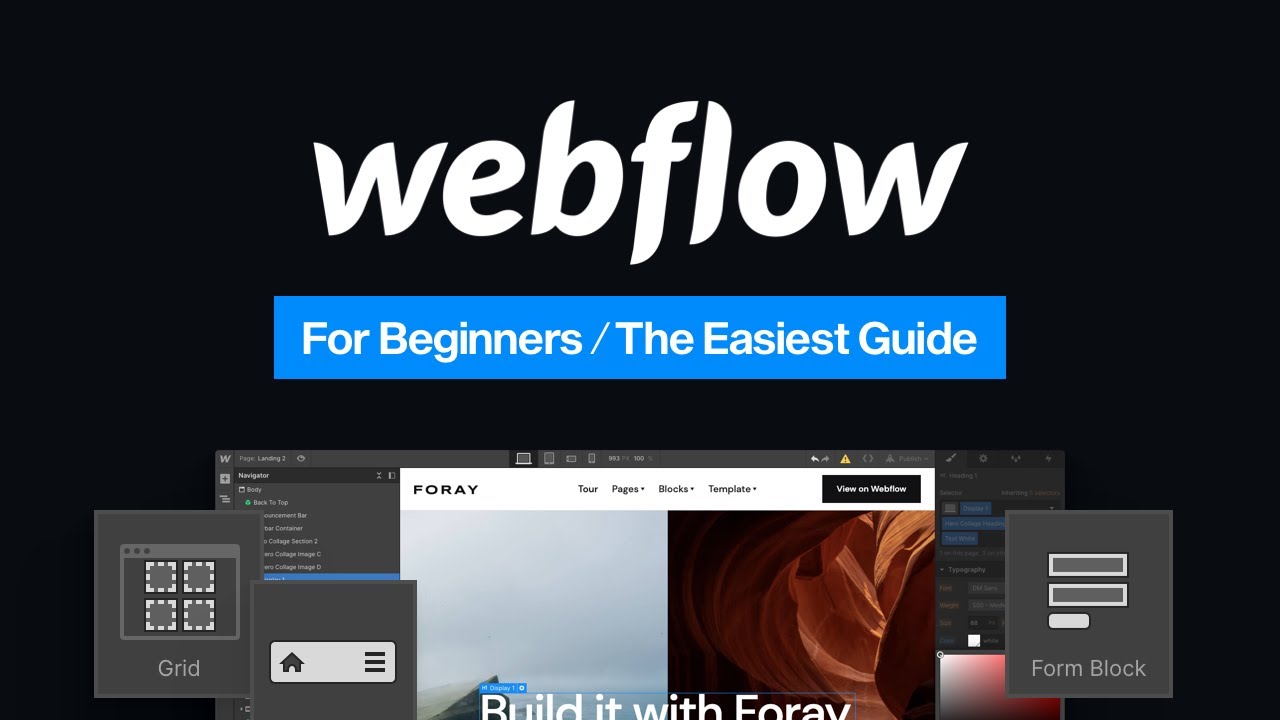
We'll be quick, as I assume you already know Webflow or have already consulted The Ultimate Webflow Guide. Or at least, you've already heard of it: you know that Webflow is a no-code tool that allows you to create a website without writing code.

In other words, Webflow is an awesome platform that allows everyone, from beginners to professionals, to imagine, create, and publish websites without writing a single line of code 😎

You can use Webflow for all sorts of projects, from showcase websites, e-commerce or simply Landing Pages to high-performance sites. And the best part? The platform offers a ton of features and customization options to create a unique and powerful website that perfectly meets your expectations.

To understand everything Webflow can do, our article on why you should build your showcase website with Webflow answers all your questions.

In this article, I will focus solely on showcase websites (and believe me, there's already plenty to do 🤭)

{{cta-1}}

What are the most common sections for a showcase website?

What is a showcase website?

A showcase website is a website that, as its name suggests, acts as a showcase for your products and services. A showcase website will help you to present your business but your users will not be able to purchase directly from the site (unlike an e-commerce site 🤔).

If you are about to create or update your showcase website, you need to decide which sections to include. A showcase website is the best way to present your product, service, or brand online. Many showcase websites include a homepage, an about page, a contact page, and a product or service page.

But you can go further by adding other sections to improve theuser experience and highlight your brand. Below, I'll give you the most common sections to include in your showcase website 👇

🥇 Hero section

The first section of a page, it should grab attention of your users as the page finishes loading. Share your value proposition by summarizing your product or service in a few lines.

Opeaz's hero section

This value proposition isn't improvised: it stems from a well-defined brand strategy that establishes the positioning before the designer places the pixels.

This section should be appealing and make a good first impression of your company. It's important to include high-quality images and clear, concise text that explains who you are and what you do.

✋ Nav section

Essential for every site, it allows users to navigate through your site's different pages.

😎 About section

A section often used to provide more details and information about your organization, products, or services.

This section should include the key information about your company. This can include the company's history, employee photos, certifications or awards, accolades, etc. This section can be an important area to strengthen your brand image and gain the trust of your visitors

💰 Pricing Section

This section allows users to easily compare your different offerings based on the specific features included. Detail what is included with each of your offerings.

Salesforce Offerings

In this section, you should clearly and concisely present the various services you offer. Whether it's product sales, consulting services, or any other type of service, it's important to detail them so that visitors know exactly what you are capable of.

🌅 Gallery Section

It allows you to add a visual touch to the site by presenting various images to the user. Make sure they are personalized and consistent with your visual identity.

📽 Video Section

This section allows you to add video content original to your website. If you have already created similar content, we recommend sharing it on your site as this type of content is generally very popular.

💁‍♀️ Partners Section

Gain credibility by showcasing all the partners you work with. You can detail the list of your partners and suppliers in this section.

🗣 Contact Section

This section often contains a contact form. Allow your users to contact you with just a few clicks.

This section should include your contact information , such as your physical address, phone numbers, and email address. It is also recommended to include a contact form so your visitors can send you a message more easily. If you have a physical store, also be sure to include your opening hours.

📍Contact Information Section

Often complementing the contact form, this section encourages your users to contact you or visit you. Share your contact details on your site (it costs nothing).

👣 Footer Section

This section represents the footer of your site. This is the place to indicate if any specific notices should appear in addition to the mandatory ones (legal notices, privacy policy).

📰 Blog Section

Remind your users that you maintain a blog. Share your articles in this section and offer them relevant content.

A blog is an excellent way to strengthen your credibility by proving your expertise in your field. Additionally, it can improve your SEO by creating content around keywords that you target. The blog is also an excellent way to maintain frequent contact with your visitors.

To maximize this SEO, check out our 12 tips to improve your Webflow site's SEO.

📩 Newsletter Section

This section allows your users to enter their email and subscribe to your newsletter.

Hone your copywriting!

👨🏼 Profile Section

This section allows you to present a profile. Showcasing a profile, explaining what the person does, and detailing their skills humanizes your site.

🕺 Visit Section

This section allows you to invite your prospects to visit you. It's useful if you have a physical space that can accommodate your customers.

🛍 Products Section

This section allows you to present your various products. You can add information such as price and specifications.

🎤 Reviews Section

This section allows you to share reviews from other customers. It's an important reassurance element for hesitant prospects. This strengthens your organization's credibility.

To understand how brand credibility is built, discover our study on the figures that prove branding transforms business growth.

MerciApp Reviews

This section is an excellent way to show your visitors that you are reliable and have satisfied customers. It is essential to ask each of them for permission to publish their testimonial, as this strengthens your credibility.

{{cta-2}}

💡 FAQ Section

An FAQ section is a question-and-answer space where your users can find information on specific points. Located at the bottom of the page, it helps address any remaining objections.

👑 Services Section

This section allows you to present and detail your offerings and expertise. Remember to include terms and conditions of sale (estimated time, price, etc.).

👩‍💻 Team Section

This section allows you to showcase the people associated with your organization. In addition to fostering goodwill and highlighting the 'human' aspect of your company, it's an important reassurance factor for your users.

👉 Steps Section

This section allows you to detail your processes step by step. Important for pragmatic minds 🤓

🙋‍♀️ Clients Section

The purpose of this section is to list your clients (especially the most prestigious ones). This is social proof that should not be overlooked.

📃 Quote Section

This section often consists of a large form where the user can provide various information so that you can send them a personalized quote.

🧮 Key Figures Section

This section allows you to share key figures related to your activity. Proof by numbers.

❤️ Benefits Section

This section aims to present your differentiating factors, your strengths, and your assets.

These differentiators are rooted in your brand platform : the Benefits section of a website is merely the visible part of this strategic work.

📒 Brochure Section

This section allows you to collect email addresses in exchange for a brochure or highly relevant content (e.g., a white paper).

🧲 Recruitment Section

This section allows you to showcase all available positions within your organization... and attract top talent!

Bonus: How to add 3D to your Webflow site

Now you know which section to add to your website.

If not, we're here to help 👋

Shall we add 3D to your Webflow site? Let's do it!

And to explore all the elements that improve your site's UX, check out our article on 8 Webflow elements to improve user experience.

{{cta-3}}

{{block-cta-1}}

Elias, Branding Studio, webflow partner

Brand Strategy
Brand Identity
Brand Experience
Naming
Copywriting
Brand Idea
Logo
Photography
Illustration
3D & Motion
SEO
Website
Webflow
Custom Animation
Maintenance
Webdesgin

We are brand creators. We transform projects into a strong, online brand.

It's time to turn your project into a brand

Brand Strategy
Brand Identity
Brand Experience
Brand Strategy
Brand Identity
Brand Experience

Webflow: the essential sections to add to your website

Ressources
/
Agency
/
Webflow: the essential sections to add to your website
Updated on
1/6/2026
Auteur
Axel
Expert Brand & Web @ Elias
0
1
2
3
4
5
6
7
8
9
0
1
2
3
4
5
6
7
8
9
%

The main thing to remember

A good Webflow site isn't just about beautiful design; it relies on a clear, strategic structure designed for conversion. Certain sections have become essential for capturing attention, building brand credibility, and effectively guiding your visitors.

  • An impactful hero section: clear message, immediate benefit, visible CTA – it sets the tone and guides the user from the very first seconds.
  • A "problem/solution" section: it contextualizes your offer, demonstrates your understanding of the audience's needs, and highlights your value.
  • Strong social proof (reviews, client logos, data): these build trust and remove any remaining hesitation.
  • A clear and structured presentation of offers or services: benefits, features, expected results, all digestible in a few seconds.
  • An authentic "About Us" section: humanize your brand, explain your approach, and showcase your unique differentiators.
  • A strong and simple final CTA: a single, frictionless action to complete the user journey.

Key takeaway: an effective Webflow site relies on a coherent architecture where each section has a precise role. Design matters, but it's clarity, social proof, and the user journey that truly drive conversions.

Recently, a client asked us what sections to add to their showcase website. We reviewed over 200 sites and thought this might be useful for you too 😉. In this article, I'll list the most commonly used sections and our recommendations 👇

{{block-cta-2}}

What is a website section?

Let's clarify. On a website, a section is a part of your site that groups elements which are themselves organized around a theme.

They can be located at the root of your domain or at a more specific URL, such as www.yoursite.com/section. Sections are very useful for organizing your content in coherent groups and to simplify navigation on your website. For example, if you have a blog, you can create a section for each category of articles you publish. This way, your visitors can easily find what they need.

For example, the "Contact" part of a website is a section.

Also, the "About" section of a website.

Or the "Blog" section is also a website section.

You get the idea 😁 Shall we move on?

Webflow Overview (in a flash)

We'll be quick, as I assume you already know Webflow or have already consulted The Ultimate Webflow Guide. Or at least, you've already heard of it: you know that Webflow is a no-code tool that allows you to create a website without writing code.

In other words, Webflow is an awesome platform that allows everyone, from beginners to professionals, to imagine, create, and publish websites without writing a single line of code 😎

You can use Webflow for all sorts of projects, from showcase websites, e-commerce or simply Landing Pages to high-performance sites. And the best part? The platform offers a ton of features and customization options to create a unique and powerful website that perfectly meets your expectations.

To understand everything Webflow can do, our article on why you should build your showcase website with Webflow answers all your questions.

In this article, I will focus solely on showcase websites (and believe me, there's already plenty to do 🤭)

{{cta-1}}

What are the most common sections for a showcase website?

What is a showcase website?

A showcase website is a website that, as its name suggests, acts as a showcase for your products and services. A showcase website will help you to present your business but your users will not be able to purchase directly from the site (unlike an e-commerce site 🤔).

If you are about to create or update your showcase website, you need to decide which sections to include. A showcase website is the best way to present your product, service, or brand online. Many showcase websites include a homepage, an about page, a contact page, and a product or service page.

But you can go further by adding other sections to improve theuser experience and highlight your brand. Below, I'll give you the most common sections to include in your showcase website 👇

🥇 Hero section

The first section of a page, it should grab attention of your users as the page finishes loading. Share your value proposition by summarizing your product or service in a few lines.

Opeaz's hero section

This value proposition isn't improvised: it stems from a well-defined brand strategy that establishes the positioning before the designer places the pixels.

This section should be appealing and make a good first impression of your company. It's important to include high-quality images and clear, concise text that explains who you are and what you do.

✋ Nav section

Essential for every site, it allows users to navigate through your site's different pages.

😎 About section

A section often used to provide more details and information about your organization, products, or services.

This section should include the key information about your company. This can include the company's history, employee photos, certifications or awards, accolades, etc. This section can be an important area to strengthen your brand image and gain the trust of your visitors

💰 Pricing Section

This section allows users to easily compare your different offerings based on the specific features included. Detail what is included with each of your offerings.

Salesforce Offerings

In this section, you should clearly and concisely present the various services you offer. Whether it's product sales, consulting services, or any other type of service, it's important to detail them so that visitors know exactly what you are capable of.

🌅 Gallery Section

It allows you to add a visual touch to the site by presenting various images to the user. Make sure they are personalized and consistent with your visual identity.

📽 Video Section

This section allows you to add video content original to your website. If you have already created similar content, we recommend sharing it on your site as this type of content is generally very popular.

💁‍♀️ Partners Section

Gain credibility by showcasing all the partners you work with. You can detail the list of your partners and suppliers in this section.

🗣 Contact Section

This section often contains a contact form. Allow your users to contact you with just a few clicks.

This section should include your contact information , such as your physical address, phone numbers, and email address. It is also recommended to include a contact form so your visitors can send you a message more easily. If you have a physical store, also be sure to include your opening hours.

📍Contact Information Section

Often complementing the contact form, this section encourages your users to contact you or visit you. Share your contact details on your site (it costs nothing).

👣 Footer Section

This section represents the footer of your site. This is the place to indicate if any specific notices should appear in addition to the mandatory ones (legal notices, privacy policy).

📰 Blog Section

Remind your users that you maintain a blog. Share your articles in this section and offer them relevant content.

A blog is an excellent way to strengthen your credibility by proving your expertise in your field. Additionally, it can improve your SEO by creating content around keywords that you target. The blog is also an excellent way to maintain frequent contact with your visitors.

To maximize this SEO, check out our 12 tips to improve your Webflow site's SEO.

📩 Newsletter Section

This section allows your users to enter their email and subscribe to your newsletter.

Hone your copywriting!

👨🏼 Profile Section

This section allows you to present a profile. Showcasing a profile, explaining what the person does, and detailing their skills humanizes your site.

🕺 Visit Section

This section allows you to invite your prospects to visit you. It's useful if you have a physical space that can accommodate your customers.

🛍 Products Section

This section allows you to present your various products. You can add information such as price and specifications.

🎤 Reviews Section

This section allows you to share reviews from other customers. It's an important reassurance element for hesitant prospects. This strengthens your organization's credibility.

To understand how brand credibility is built, discover our study on the figures that prove branding transforms business growth.

MerciApp Reviews

This section is an excellent way to show your visitors that you are reliable and have satisfied customers. It is essential to ask each of them for permission to publish their testimonial, as this strengthens your credibility.

{{cta-2}}

💡 FAQ Section

An FAQ section is a question-and-answer space where your users can find information on specific points. Located at the bottom of the page, it helps address any remaining objections.

👑 Services Section

This section allows you to present and detail your offerings and expertise. Remember to include terms and conditions of sale (estimated time, price, etc.).

👩‍💻 Team Section

This section allows you to showcase the people associated with your organization. In addition to fostering goodwill and highlighting the 'human' aspect of your company, it's an important reassurance factor for your users.

👉 Steps Section

This section allows you to detail your processes step by step. Important for pragmatic minds 🤓

🙋‍♀️ Clients Section

The purpose of this section is to list your clients (especially the most prestigious ones). This is social proof that should not be overlooked.

📃 Quote Section

This section often consists of a large form where the user can provide various information so that you can send them a personalized quote.

🧮 Key Figures Section

This section allows you to share key figures related to your activity. Proof by numbers.

❤️ Benefits Section

This section aims to present your differentiating factors, your strengths, and your assets.

These differentiators are rooted in your brand platform : the Benefits section of a website is merely the visible part of this strategic work.

📒 Brochure Section

This section allows you to collect email addresses in exchange for a brochure or highly relevant content (e.g., a white paper).

🧲 Recruitment Section

This section allows you to showcase all available positions within your organization... and attract top talent!

Bonus: How to add 3D to your Webflow site

Now you know which section to add to your website.

If not, we're here to help 👋

Shall we add 3D to your Webflow site? Let's do it!

And to explore all the elements that improve your site's UX, check out our article on 8 Webflow elements to improve user experience.

{{cta-3}}

{{block-cta-1}}

Un projet en tête ?

Prenez un moment pour échanger avec nos équipes

Booker un call
Stratégie
Identité
Web
Stratégie
Identité
Web
Stratégie
Identité
Web

It's time to turn your project into a brand

Brand Strategy
Brand Identity
Brand Experience
Brand Strategy
Brand Identity
Brand Experience